
If you've landed here, you've probably already narrowed the field to these two. Good — they're both genuinely excellent, and most "comparison" articles duck the real question by calling it a tie. I won't. These plugins are built for different people, and once you know which person you are, the choice makes itself.

The short version
Both WPForms and Gravity Forms are full-service form builders, not mere contact-form plugins. You can build lead forms, registration forms, payment and donation forms, multi-step forms, and far more with either.
The difference is temperament:
- WPForms optimizes for ease. It's the one you hand to a non-technical client and trust them not to break.
- Gravity Forms optimizes for depth and extensibility. It's the one developers and agencies reach for when a project gets complicated.
The form-building experience
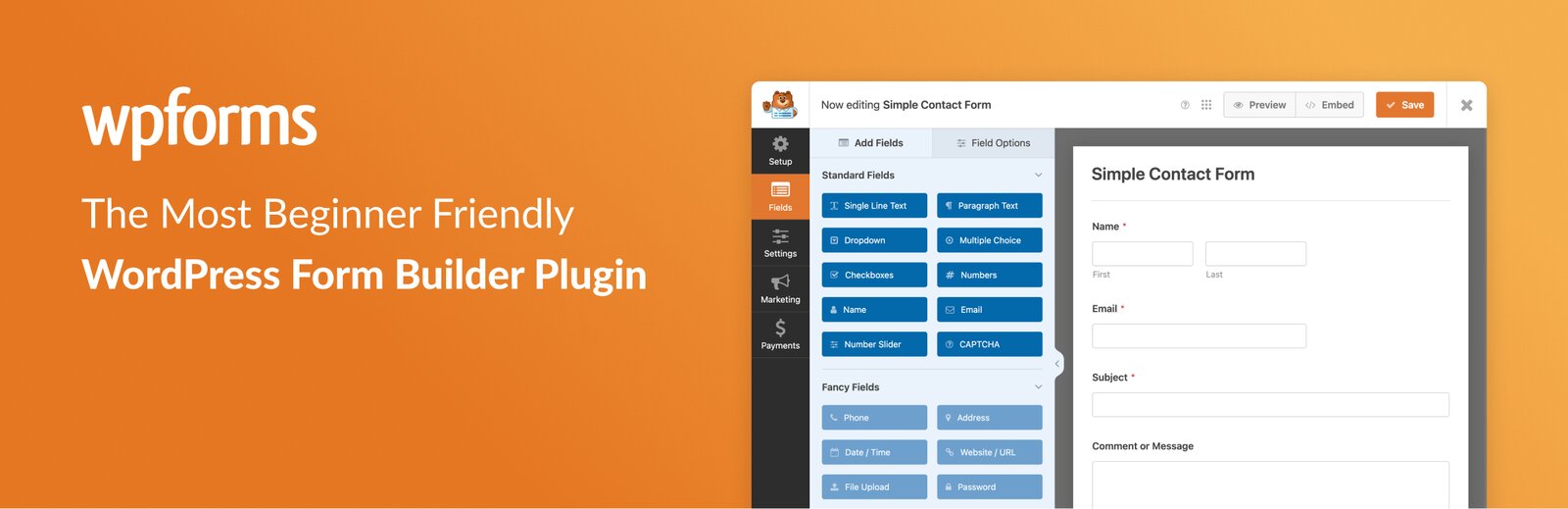
This is the clearest dividing line. WPForms leans hard into a clean, beginner-friendly drag-and-drop builder with a large library of pre-built templates. The learning curve is gentle by design — you can go from install to a working form fast, without touching documentation.
Gravity Forms is powerful and flexible, with a builder that rewards people who know what they're doing. It exposes more under the hood, which is exactly what some users want and exactly what overwhelms others.
Neither is "better" here. It depends entirely on who's clicking the buttons.
Integrations, add-ons, and extensibility
Both plugins connect to the services that matter — email marketing tools, CRMs, and payment processors like Stripe, PayPal, and Square — through their respective add-on ecosystems, typically gated behind higher license tiers.
Gravity Forms has long been a favorite in developer circles for its hooks and extensibility, with a deep third-party add-on marketplace. WPForms covers the mainstream integrations most sites need and keeps the setup approachable. If your project involves custom development or unusual automation, Gravity's extensibility is the safer bet. If you need the common integrations working quickly, WPForms gets you there with less friction.
Quick comparison
| WPForms | Gravity Forms | |
|---|---|---|
| Best for | Beginners, small businesses, speed | Developers, agencies, complex builds |
| Builder | Very easy, template-first | Powerful, more technical |
| Free version | Yes (Lite) | No |
| Integrations | Mainstream, approachable | Deep, developer-friendly |
| Extensibility | Covers most needs | Strong hooks & marketplace |
| Learning curve | Gentle | Steeper |
Pricing reality check
Both are premium plugins sold as annual licenses, with features and integrations unlocking at higher tiers. WPForms also offers a free "Lite" version, which is a genuine advantage if you want to start small or test the waters before paying. Because both vendors adjust pricing and tier contents periodically, confirm the current plans on-site rather than trusting a number in an article.
The verdict
Pick WPForms if you're a small business owner, a beginner, or anyone who values getting a polished form live quickly without a manual. The free Lite version and template-first builder make it the low-friction choice — and for the majority of websites, it's all you'll ever need.
Pick Gravity Forms if you're a developer or agency building something genuinely complex, where extensibility and depth outweigh ease of setup.
For most people reading this, the honest answer is WPForms. Check current WPForms plans and the free version here.
Support, documentation, and the learning curve
For a tool you'll lean on for years, support quality quietly matters as much as features. Both plugins are backed by established companies with real documentation, guided setup, and help channels on their paid tiers. The difference tracks their personalities. WPForms wraps its help around the beginner — step-by-step walkthroughs, templates that explain themselves, and an interface designed so you rarely need to ask. Gravity Forms documents a deeper, more technical surface, which is exactly what its developer audience wants and exactly what a first-timer can find dense.
Think about who will maintain the forms after launch. If that's you and you're comfortable in code, the depth is an asset. If it's a client or a non-technical colleague, the plugin that minimizes support tickets by being obvious is worth real money — and that's usually the more approachable of the two.
Migration, lock-in, and future-proofing
It's worth thinking one step ahead before you commit. Both plugins store their data within your WordPress site rather than holding it hostage elsewhere, but moving entries and form structures between builders is never completely painless, so the switch is best made deliberately rather than casually. Choose for where your project is heading, not just today's contact form.
If you expect your needs to stay mainstream — contact, lead capture, simple payments — the easier builder will keep serving you without friction, and the free entry point lets you start risk-free. If you anticipate growing into complex, custom automation and bespoke development, the more extensible platform gives you more room before you hit a wall. Either way, the cost of a thoughtful choice now is far lower than the cost of migrating a site full of live forms later. Pick the one whose ceiling you won't bump into.
FAQ
Is there a free version?
WPForms has a free Lite version; Gravity Forms is premium-only. That alone tips many first-time decisions.
Can both take payments?
Yes — both integrate with processors like Stripe and PayPal through add-ons on higher tiers.
Which is easier for a non-technical user?
WPForms, clearly — it's built around approachability and templates. See it here.
Disclosure: This article contains affiliate links, and we may earn a commission if you buy through them — at no extra cost to you. Opinions are our own. Features and pricing were accurate at the time of writing; confirm current details on the vendor's site.
Affiliate link — we may earn a commission at no extra cost to you.
Want gear like this on your content calendar?
Join AffluencerHub, get AI-matched to brand programs that fit your audience, and track every click to commission in one place.
Apply as a Creator