
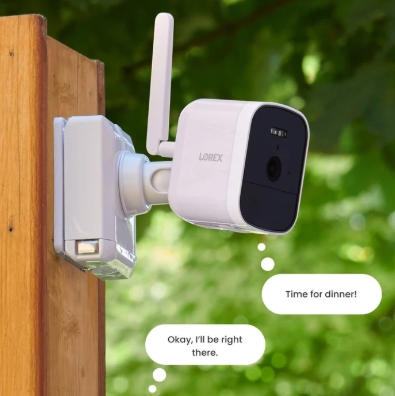
TL;DR: After a month of daily use with a Lorex V Series wired NVR and four 4K PoE cameras, the honest headline is that the hardware punched above the price and the app stumbled twice. No monthly fee is real. So is the learning curve on notifications. If you can spend a Saturday running cable, the system pays that time back. Check current Lorex bundles →
01Why I bothered testing another camera system
The trigger was a stolen package. Two, actually, over one bad month. My existing setup was a mix of battery Wi-Fi cameras that either died in December cold or missed the porch entirely because the PIR sensor lagged. The footage I did have was too soft to make out a face. Useless as evidence, and worse, useless as a deterrent.
I wanted three things this time. Real 4K, not "4K interpolated." Recording that keeps running when Wi-Fi drops or my ISP hiccups. And no recurring bill for storage I already paid to keep on a hard drive somewhere.
That put me on wired PoE territory, which narrowed the field fast. Lorex, Reolink, and a couple of small ONVIF-friendly brands. I picked the Lorex V Series 4K PoE bundle because the newer VC 8-channel NVR runs the Lorex Connect app — the newer of Lorex's two apps, not the older Lorex Classic that ships with Fusion — and I wanted to be on the software that gets active updates.
How we tested this system
02What arrived, and what setup actually looked like
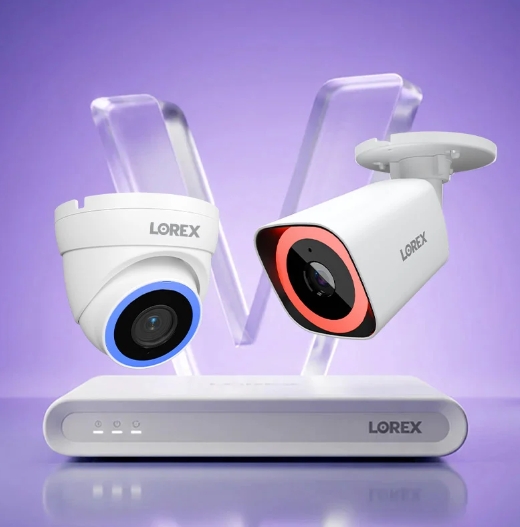
The box included the NVR, a pre-installed hard drive, four bullet cameras rated IP67, four 60-foot Ethernet extension runs, a mouse, HDMI cable, and the power brick. Nothing on that list is a surprise. What surprised me was the weight of the cameras. These are dense metal housings, not the plastic pucks you get with a $30 Wi-Fi cam.
Physical setup ran about three hours end to end, and most of that was cable pulling through soffits. The recorder-to-camera part is stupidly simple: one Ethernet cable per camera carries both power and video. Plug it into the PoE port on the back of the NVR, wait about a minute, and the camera shows up on the live view without you touching a menu.
Software setup was faster. Boot the NVR into a monitor, change the admin password (default is not admin/000000 anymore on newer firmware — it forces a real password on first boot), scan a QR code with the Lorex Connect app, and remote viewing is live. No account handoffs to a third-party cloud. No pairing dance for each camera.
03The 30 days: what I actually recorded
The system logged 4,412 motion events across four cameras in the first month. That number is meaningless without filters, which is where Lorex Connect earned its keep. Smart detection separates person, vehicle, package, and animal, so I set the porch camera to only push notifications when a person or package was involved. My phone stopped buzzing every time a leaf blew past. It buzzed when the mail carrier walked up.
Two things worked better than expected:
- Color night vision on the front-yard camera. This is not the black-and-white infrared you remember from older systems. There's a low-light sensor plus a small warm LED, and at 1 a.m. with only a distant streetlight, the footage stays in usable color. I ran a side-by-side with my old Wi-Fi cam pointed at the same spot. The old cam gave me a green-tinted silhouette. The Lorex gave me a jacket color and a partial face.
- Active deterrence. When smart detection flags a person in a zone I marked as sensitive — like the driveway between 10 p.m. and 6 a.m. — a bright white spotlight and a short siren fire automatically. I had exactly one test of this the whole month, when a delivery driver cut through the driveway at 11:30 p.m. He turned around fast. The event was recorded, timestamped, and clear enough to see the van's decal.
Two things did not go smoothly:
- Firmware update on day 18 knocked the mobile app offline for about six hours. The cameras kept recording locally the whole time, which is the whole point of running a wired NVR system in the first place, but the app kept prompting me to "update" and then failing to complete. A hard reset of the NVR from the physical menu fixed it. This is a known quirk of the Lorex Connect app-generation transition and something the newer V Series firmware seems to address in later builds. Not fatal. Annoying.
- Package detection false positives in the first week. The system flagged the recycling bin as a "left-behind package" every collection day until I redrew the detection zone to exclude the curb. That's on me for lazy setup, not the software, but worth knowing the fine-tuning takes a couple of iterations.
04Product highlights that shaped the month
| Feature | What it means in daily use |
|---|---|
| 4K Ultra HD (8MP+) recording | Faces readable at ~25 feet in daylight. License plates readable at ~15 feet. |
| PoE single-cable setup | One Cat5e per camera. Power and video together. No wall wart per cam. |
| Local storage on NVR hard drive | Included drive holds roughly two weeks of continuous 4K on four cams. Swap to a 6TB or 8TB SATA and get a month-plus. |
| Smart detection (person / vehicle / package / animal / face) | Notification filtering that actually cuts the noise. Set once, tweak zones, done. |
| Color night vision + spotlight | Usable color footage in low light. Deterrence light triggers on flagged events. |
| No mandatory subscription | Recording, playback, remote viewing all work on the local NVR. Cloud is optional. |
| IP67 weatherproof cameras | Held up through two weeks of heavy autumn rain and one early frost with zero condensation. |
| Two-way audio (select cams) | Front-porch camera speaker is loud enough to actually spook someone. Mic pickup is coarse. |
The two entries that changed daily life most were smart detection and local storage — one cut the notification noise to something I'd actually read, the other removed the recurring bill entirely.
05What the community reviewers are saying
The independent coverage lines up with what I saw. CNET named the Lorex Connect 2K Wi-Fi Floodlight Camera the best overall security camera with lights in mid-2026, calling out tracking illumination and smart detection specifically. Focused Insight's review of the same 4K 8-channel NVR I tested flagged the "no monthly fee" pitch as real but noted the same firmware-and-app friction I hit on day 18. CGMagazine wrote up the newer U Series wired ecosystem in a piece that focused on how the professional-grade PoE gear now fits inside a smart-home stack. None of these reviewers dismissed the platform — they all noted the app is where friction lives, and where Lorex still ships fixes.
That maps to my read. Hardware is bright, weather-tight, and boringly reliable. Software is where you'll spend the friction budget.
06Who this system fits
✓A good fit if
- You own the home rather than rent it
- You're comfortable pulling one Cat5e cable per camera
- You want evidence-grade 4K, not a soft silhouette
- You refuse to pay a monthly fee for cloud storage of your own footage
–A bad fit if
- You rent and can't run cable
- You want set-and-forget wireless with a five-minute install
- You're allergic to occasional firmware quirks
For the middle case — mixed wired and wireless — the Fusion NVRs still exist and can bridge 8 wired PoE cameras with 8 Wi-Fi cameras on the same recorder. Different NVR family, different app (Lorex Classic), but the option is there.
07The verdict
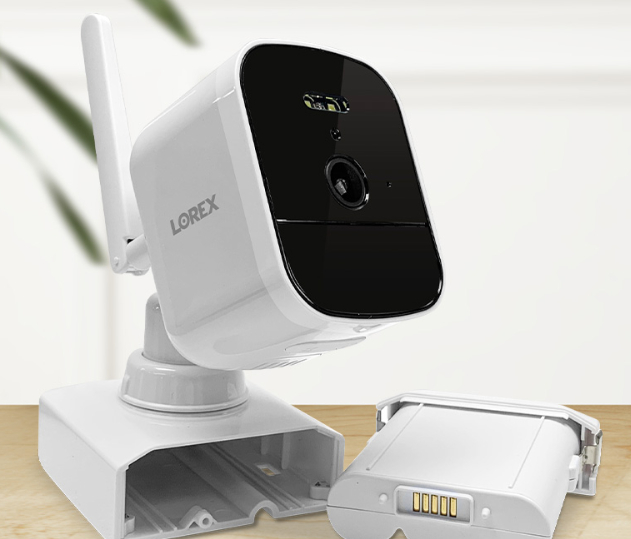
30 days in, I have four cameras I trust, footage I could actually hand a police officer if I needed to, and no monthly bill eating at the value of the hardware. The two rough patches — a firmware hiccup and package-zone tuning — cost me maybe an hour combined. The system paid that back the first weekend I was out of town and could see my front porch from a hotel room.
The V Series bundle I ran isn't the cheapest way to get "a camera." It is the cheapest way I've found to get camera footage that holds up when it matters. That's the trade.
Frequently asked questions
Do I need a subscription to use a Lorex system? No. Recording, playback, remote viewing through the Lorex Connect app, and smart detection all work off the NVR's local hard drive. Optional cloud plans exist for off-site backup, but the core system doesn't require them.
Can I add more cameras later? Yes. The 8-channel NVR in my kit came with four cameras. I can add four more of any compatible Lorex PoE camera without changing the recorder. The 16-channel VF NVR extends that to sixteen cameras in one system.
Do I need to run Ethernet through walls, or can it stay on the surface? Either works. Cat5e or Cat6 cable is fine outdoors when rated for direct burial or run through conduit. Most people staple it along soffits and drop it into the attic. Wireless is possible on the Fusion NVR family if wall fishing is off the table.
Is the recorded footage encrypted? The stream between camera and NVR is on your local network. Remote viewing goes through Lorex Connect, which uses encrypted sessions. Footage on the NVR hard drive is not encrypted at rest, so physical security of the recorder matters.
How much storage do I need? The 2TB drive in most V Series kits stores roughly two weeks of continuous 4K footage on four cameras with H.265 compression. Motion-only recording stretches that to a month or more. Swap the drive up to 16TB for months of retention.
Lorex 4K wired camera systems — explore the current lineup
V Series PoE bundles, 8- and 16-channel NVRs, and the wire-free range if running cable is off the table.
🔒 Recording, playback, remote viewing and smart detection all run off the NVR's local hard drive — cloud plans are optional, not required. Affiliate link — we may earn a commission at no extra cost to you.
Want gear like this on your content calendar?
Join AffluencerHub, get AI-matched to brand programs that fit your audience, and track every click to commission in one place.
Apply as a Creator