
Three families of laser dominate the desktop market in 2026: diode, infrared fiber and MOPA fiber. They are not interchangeable, and buying the wrong type for your work is the fastest way to waste $600.
This guide walks through each family, matches them to real use cases, and closes with a decision tree you can run in about ninety seconds. Model-level detail across the whole AtomStack range is worth cross-referencing as you go.
Three families, one question
If you cut wood and engrave organic materials, buy diode. If you mark metal, buy infrared fiber. If you need colour marking on stainless or fine control over pulse width, buy MOPA. That is the whole answer. The rest of this article is why.
Diode lasers: the workhorse
Diode machines use blue laser light at roughly 455 nm. They excel at anything organic — wood, leather, cardboard, dark acrylic, coated metals, slate. They do not touch bare aluminium, brass or copper, full stop.
Power ranges from 5W entry level up to 77W on flagship units. Most beginners land at 10 to 20W. Most small businesses climb to 40W. Only heavy production shops need 70W and up.
✓Where diode wins
- Widest material compatibility for non-metal work
- Affordable — $200 at entry, $2,500 at flagship
- Large work areas, up to 850×800 mm
- Simple to operate and simple to repair
- Cut capability scales: 10W handles 8 mm plywood in passes, 70W handles 30 mm pine
–Where diode loses
- Cannot engrave shiny bare metals at all
- Slower than fiber on hard materials
- Open-frame builds demand goggles, ventilation and supervision
- Photo detail limited by spot size — 0.08 mm on the best units
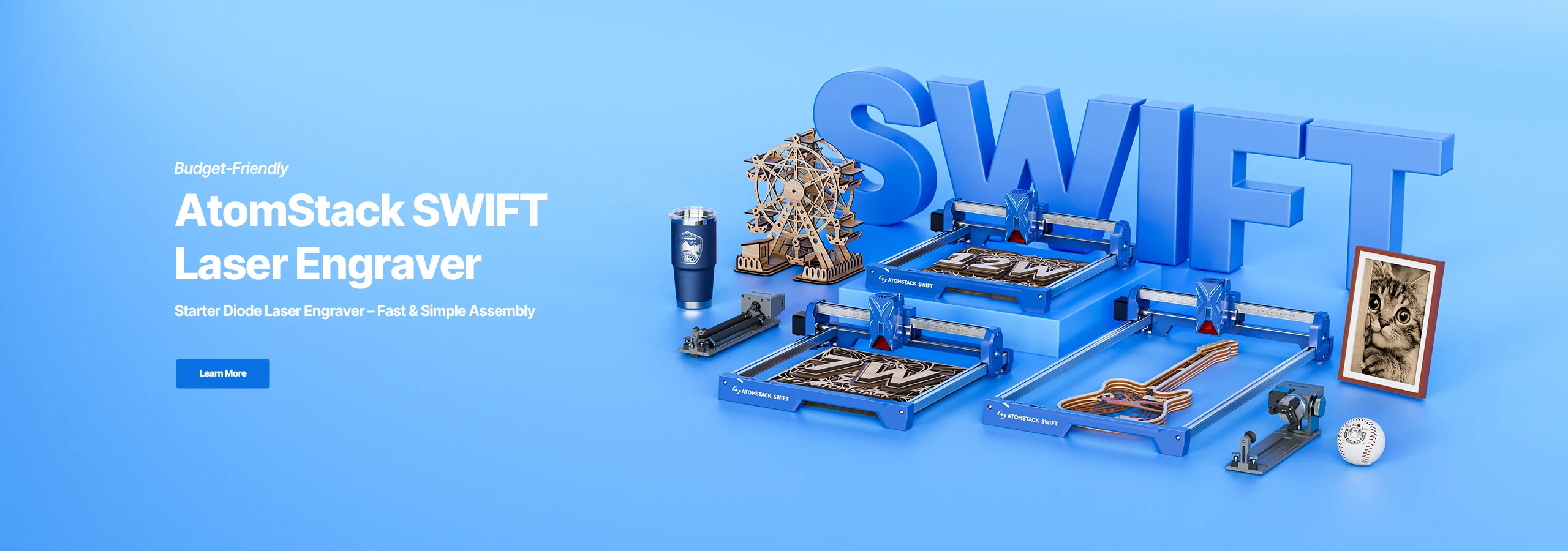
Sensible diode picks in 2026: the A10 Pro V2 around $300 for a beginner, the A40 Pro V2 near $689 on promotional windows for mid-tier, and the A70 Pro or X70 Max at $1,600 to $2,500 if you are running a shop.
Infrared fiber lasers: the metal specialist
Fiber lasers emit at 1064 nm — invisible infrared. Metal absorbs this wavelength efficiently, which is why they engrave stainless steel, brass, copper, titanium and gold without contact.
Two form factors dominate, and the difference matters more than the wattage.
Galvo fiber
Mirror-scanning, extremely fast, small bed. 12,000 mm/s marking speed, 70×70 mm to 140×140 mm work area. Ideal for tumblers, jewellery and small-batch production. Cannot cut thick material. $599–1,700.
Gantry fiber
Moving head, slower, much larger bed — 400×400 mm. Better for varied one-off jewellery or metal art, and it will cut 0.2 mm aluminium in a single pass. $1,000–1,500.
Neither can engrave clear acrylic, wood or paper efficiently. If someone tells you their fiber does wood, they mean it scorches wood. Wrong tool.
MOPA fiber lasers: the precision instrument
MOPA stands for Master Oscillator Power Amplifier. In practice it means adjustable pulse width, which unlocks four things a regular fiber cannot match:
- Colour marking on stainless steel — actual colours, produced by controlled surface oxidation
- Deeper black marks on anodised aluminium
- Clean marks on plastic without melting or discolouration
- Better annealing effects on precious metals
Desktop MOPA options reach 5,000 mm/s scan speeds. Pricing runs $2,000 to $4,000, which is exactly why MOPA is a specialist purchase and not a first machine.
Buy MOPA if you sell coloured stainless jewellery, mark medical devices to a regulatory spec, or handle mixed plastic-and-metal orders where a regular fiber leaves ugly marks. Otherwise skip it.
Dual-laser machines: a new category
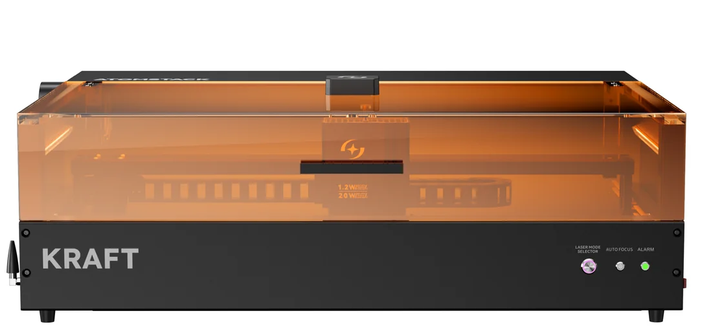
2026 brought a real jump here. The AtomStack Kraft combines a 20W diode and a 1.2W infrared laser in a single enclosed head — no module swapping, and both lasers share a focal point.
This matters if your product mix is mixed. A leather wallet with a stainless clasp needs a diode cut and an infrared mark. On a single-laser machine that is two jobs, two focus setups and two fixture placements. On a dual machine it is one job.
The Kraft sits at $1,399 as of this writing. If you already run separate machines for wood and metal, a dual may consolidate your workflow. If you only do one type of work, buy the specialist single-laser instead and spend the difference on power.
Feature comparison
| Laser type | Wavelength | Materials | Work area | Speed | Price range |
|---|---|---|---|---|---|
| Diode 10W | 455 nm | Wood, leather, dark acrylic, coated metal | 400×400 mm+ | 10,000 mm/min | $200–500 |
| Diode 40–70W | 455 nm | Same, plus thick wood cutting | 850×800 mm | 24,000 mm/min | $700–2,500 |
| Fiber 20W (galvo) | 1064 nm | All metals, some plastics | 70–140 mm | 12,000 mm/s | $600–1,700 |
| Fiber 20W (gantry) | 1064 nm | All metals, plus thin metal cutting | 400×400 mm | 24,000 mm/min | $1,000–1,500 |
| MOPA fiber | 1064 nm | Metals, plus colour marking | 100–200 mm | 5,000 mm/s | $2,000–4,000 |
| Dual (diode + IR) | 455 + 1064 nm | Both organic and metal | 500×320 mm | Variable | $1,399+ |
Note that no row wins outright — galvo fiber is an order of magnitude faster on metal and physically cannot do what a 70W diode does on a 30 mm pine board. The comparison exists to disqualify, not to rank.
Enclosed vs open-frame
This decision matters more than most people realise. Open-frame diodes are cheaper, lighter and more powerful per dollar. They also require laser goggles, ventilation and constant supervision. In a family home or a shared flat they can be genuinely stressful to operate.
Enclosed machines carry a Class 1 laser rating — the beam stays inside a housing with a filtered window. No goggles needed, safe around kids and pets. Expect to pay $200 to $500 more for the enclosure. For a lot of buyers that is the best money in the whole build.
Air assist: not optional
Every serious laser job needs air assist. A jet of air at the cut point clears smoke, prevents flare-ups on wood, and keeps residue off your lens. On flagship AtomStack machines it is built in — the F60 kit on the X70 series delivers 60 L/min. On budget units, expect to buy a $30 to $60 add-on pump. Do not skip it.
Software ecosystem
Three names to know, and you will probably end up using two of them.
- LightBurn — the industry standard. $60 one-time, supports every laser type and works with almost every AtomStack model. Buy it eventually.
- LaserGRBL — free, Windows-only, and adequate for beginners. Runs diode machines fine.
- AtomStack Studio — proprietary, free, improving each year. Less flexible than LightBurn but handles basic jobs well.
AtomStack diode range — start here for organic materials
A10 Pro V2 around $300 for a first machine, A40 Pro V2 near $689 on promo for a small business, X70 Max at the top for daily cutting. Fiber and MOPA are separate purchases, not upgrades.
🔦 Prices on this range swing hard — Prime Day and Black Friday routinely bring the year's steepest discounts, and promo pricing on the mid-tier diodes can differ by several hundred dollars from list. Affiliate link — we may earn a commission at no extra cost to you.
★The decision tree
1. What is the primary material? Wood, leather or dark acrylic → diode. Bare metal → infrared fiber. Mixed → dual-laser or two separate machines. Coloured stainless → MOPA.
2. What is the largest piece you engrave? Under 100 mm → galvo fiber for metal, a compact diode for organic. Up to 400 mm → standard diode or gantry fiber. Larger than 400 mm → flagship diode in the A70 or X70 family.
3. Where does the machine live? Dedicated workshop → open-frame is fine. Home office or flat → enclosed only. There is no third answer to this one.
4. What is the budget? Under $500 → entry diode. $500 to $1,000 → mid-tier diode or a galvo marker. $1,000 to $2,000 → flagship diode, gantry fiber, or an enclosed dual. Over $2,000 → flagship diode Max or MOPA.
Frequently asked questions
Can one machine do everything? Not really. A dual-laser unit covers organic and metal in one enclosure, but it will not cut 25 mm wood like an X70 or match a MOPA on coloured stainless. Every design involves trade-offs.
How long do laser modules last? Diode modules typically run 8,000 to 15,000 hours before output drops noticeably. Fiber and MOPA modules are rated around 100,000 hours. Amortise that over your project volume before you call a fiber expensive.
Is diode power in watts always optical output? No, and this is the single most common spec trap. Some brands quote input electrical power, which inflates the number. Always look for "optical output" or "laser power" on the spec sheet.
What if I outgrow my first machine? Sell it. Used diodes hold 50 to 60 percent of value if maintained. Trading up is a normal path, and starting smaller costs less overall than buying wrong.
When are the best deals? Prime Day and Black Friday typically bring the year's steepest discounts, and the promotions page moves seasonally in between.
Name the material first, the largest workpiece second, the room third and the budget last. Do it in that order and the machine picks itself.
Want gear like this on your content calendar?
Join AffluencerHub, get AI-matched to brand programs that fit your audience, and track every click to commission in one place.
Apply as a Creator