
Creality's K1 series marked a shift. After years of Ender 3 dominance in the entry-level FDM market, Creality moved into high-speed CoreXY territory with the K1, K1 Max and K1C. This is the honest 2026 review after six months of daily printing on a K1 and a K1 Max.
The short version: the K1 series delivers legit CoreXY speed and print quality at a price meaningfully below Bambu Lab's premium tier. It's not perfect out of the box — some tuning helps — but it's excellent value for hobbyists who want fast, quality prints without spending $1,500+.
The 30-second verdict
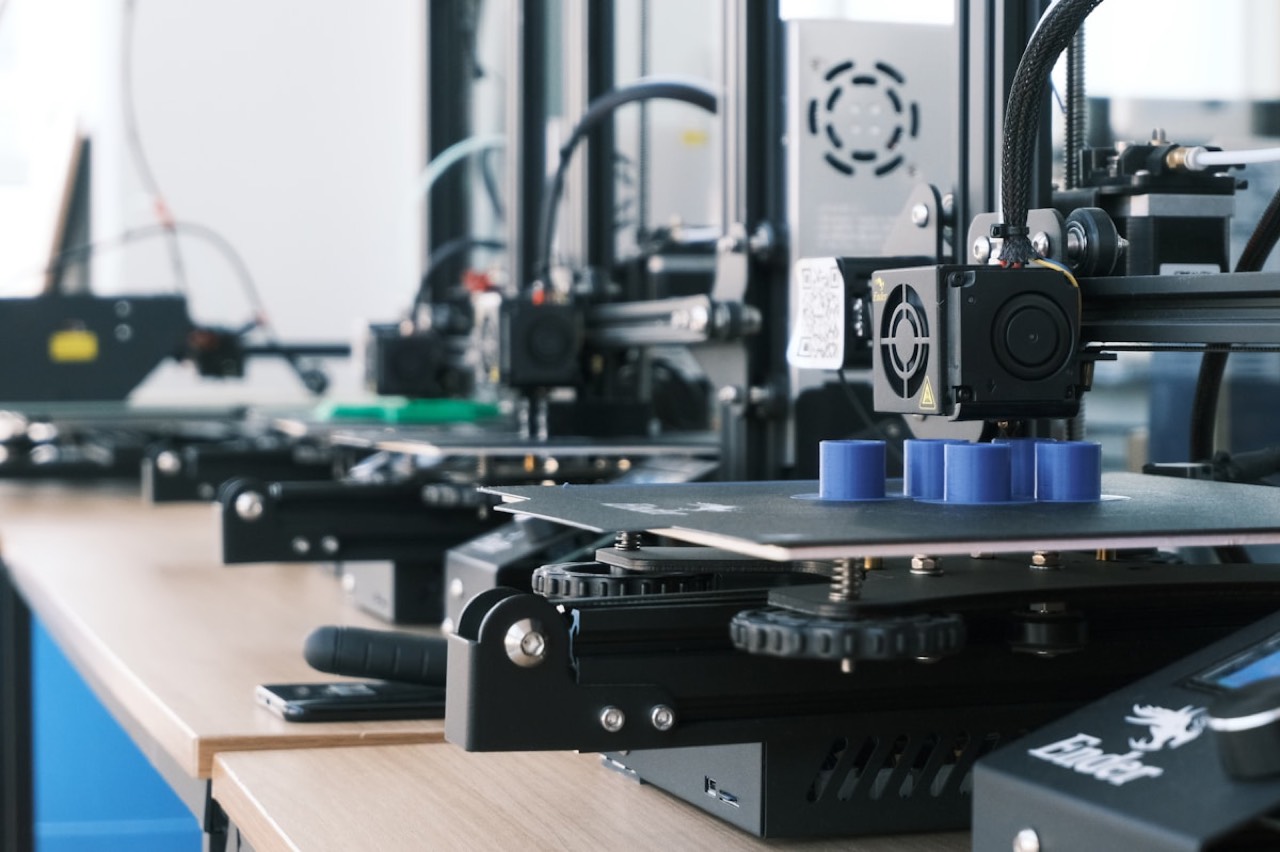
Creality K1 series
The machines I tested — the K1 (220×220×250mm) and the larger K1 Max (300×300×300mm). Klipper firmware, 300mm/s tuned speed, enclosed frame, AI failure-detection camera.
🔒 The largest 3D-printer community online · cheap, widely stocked spare parts · Klipper/Marlin firmware support · models from ~$200 beginner to ~$800 K1 Max. Affiliate link — we may earn a commission at no extra cost to you.
01The K1 lineup in 2026
Creality splits the K1 family into four variants, and picking the right one matters more than the badge suggests:
- K1 — the mid-size entry. 220×220×250mm build, Klipper firmware, 300mm/s speeds, enclosed frame.
- K1 Max — a larger 300×300×300mm build with the same speed and firmware. Better for big functional prints and multi-part production.
- K1C — an updated variant with a hardened nozzle for carbon-fiber and abrasive filaments. Aimed at prototypers.
- K1 SE — the value edition, cheaper with some features removed.
02First-print experience
Unboxing to first print took about 40 minutes. Some tuning of belt tension improves print quality noticeably, and I'd call that step non-optional rather than a nice-to-have. The included benchy printed cleanly in under 20 minutes — compare that to two-plus hours on an old Ender 3, and you understand the whole reason CoreXY exists.
Firmware is Klipper preinstalled with Creality's UI on top — not stock Klipper, but Creality's fork with proprietary bits. If you're technical, you can flash mainline Klipper. The Creality Cloud mobile app connects wirelessly for remote monitoring, a camera view and file uploads. It's functional, if not as polished as Bambu Studio.

03Where the K1 excels
Real speed
300mm/s isn't just marketing — the machine delivers it with acceptable quality on tuned parts, and 500–600mm/s is achievable with more tuning. This is the actual speed revolution, not a spec-sheet number.
Quality per dollar
For $400–$500 (K1) or $600–$800 (K1 Max) you get print quality that rivals machines at twice the price. That value gap is the entire reason the K1 keeps winning hobbyist recommendations.
Enclosed build
The enclosure enables ABS, ASA, PC and Nylon without an add-on, and it cuts noise dramatically versus an open-frame Ender 3. If you print engineering plastics, this alone justifies the step up.
Ecosystem
Same slicer paths as the Ender line, a huge community and cheap parts. The Klipper community actively supports the K1, so mods, macros and fixes are freely shared and well documented.
Two more genuinely useful extras: auto bed leveling with Z-offset calibration (both automated, so the first layer is reliable once tuned), an AI camera on the K1 and K1 Max that detects failed prints and pauses (not perfect, but useful), and wireless printing straight from a PC or the app with no USB stick.
04Where the K1 falls short
✓What genuinely works
- Real 300mm/s speed with quality — a benchy in under 20 minutes
- Enclosed frame handles ABS, ASA, PC and Nylon out of the box
- Print quality that rivals machines at twice the price
- Automated bed leveling and Z-offset; reliable first layer once tuned
- AI failure-detection camera plus wireless printing from PC or app
- Cheap parts and the largest Klipper-friendly community in the hobby
–Where it misses
- Strain-gauge bed leveling (not inductive) needs occasional recalibration
- Textured PEI bed flexes over time — a glass or magnetic upgrade helps after ~6 months
- Early firmware locked the root filesystem; community jailbreaks and softer recent firmware fixed this
- Higher fan noise at speed — noticeable in a quiet room
- No AMS-equivalent multi-color / multi-material option — the biggest feature gap
- Nozzle changes need more disassembly than Bambu Lab's tool-changer
05Real cost: six months of hobbyist printing
| Line item | Cost |
|---|---|
| K1 printer | $450 (K1) / $700 (K1 Max) |
| Filament (10 rolls PLA + 2 PETG + 1 TPU) | ~$220 |
| Consumables (nozzles, PTFE tube, cleaning) | ~$40 |
| Optional upgrades (glass bed, silicone sock, mods) | ~$60 |
| Total 6-month cost | ~$770–$1,020 |
For context: a comparable Bambu Lab P1S runs ~$700, or $1,000+ with AMS, at similar consumable cost; a Prusa MK4S is $1,100+ before any multi-material. The K1 lands squarely under both.
06Who should buy a K1
Buy the K1 if…
You're an existing Creality/Ender user wanting a jump to CoreXY speed; a hobbyist on a budget who wants Bambu-adjacent quality without the price; a prototyper needing an enclosed build for engineering plastics; a tinkerer who wants to run Klipper and mod the machine; or anyone who doesn't need multi-color printing.
Skip the K1 if…
You're a total beginner who wants zero-tuning setup (get an Ender 3 V3 SE or Bambu A1 Mini); multi-material printing is a priority (a Bambu Lab X1C with AMS is unmatched); or absolute, hands-off reliability outranks everything (a Prusa MK4S is more predictable).
07Buying tips
- Buy from Creality direct or an authorized dealer. Third-party marketplaces sometimes ship counterfeit units or older revisions.
- Skip the extended warranty. Creality customer service is decent and most issues are DIY-fixable.
- Bundle filament. Buy 5–10 rolls upfront to save on shipping.
- Consider the K1 SE or K1C variant if you have specific needs — budget versus abrasive materials.
- Join the r/CrealityK1 community before buying. It documents every quirk and mod you'll run into.
Frequently asked questions
Is the K1 hard to set up? No — about 40 minutes from box to first print. Some belt-tension tuning is worth doing early and improves quality noticeably, but it prints out of the box.
Does it really hit 300mm/s? Yes. Unlike many "fast" printers, the K1 delivers 300mm/s with acceptable quality on tuned parts, and 500–600mm/s is achievable with more tuning.
Can it print ABS and other engineering plastics? Yes. The enclosed build enables ABS, ASA, PC and Nylon without an add-on enclosure — and the K1C's hardened nozzle adds carbon-fiber and abrasive filaments.
Does it do multi-color printing? No. The lack of an AMS-equivalent is the K1's single biggest feature gap. If multi-color is a priority, look at Bambu Lab with AMS instead.
Is Creality's Klipper the real thing? It's Creality's fork of Klipper with a custom UI and proprietary bits, preinstalled. Technical users can flash mainline Klipper, and the community actively supports the machine.

The bottom line
The Creality K1 series is one of the most competitive CoreXY 3D printers on the market: fast, enclosed, well-supported and priced well below Bambu Lab's premium tier. It isn't perfect — some tuning improves it and there's no multi-material option — but for the money it's an excellent choice for hobbyists and prototypers. Six months in, it's still my daily driver.
Creality — check current K1 pricing
Browse the current K1 series and the wider lineup, from the K1 to the larger K1 Max and the abrasive-ready K1C. Bundle filament upfront to save on shipping.
🔒 The largest 3D-printer community online · cheap, widely stocked spare parts · Klipper/Marlin firmware support · models from ~$200 beginner to ~$800 K1 Max. Affiliate link — we may earn a commission at no extra cost to you.
Want gear like this on your content calendar?
Join AffluencerHub, get AI-matched to brand programs that fit your audience, and track every click to commission in one place.
Apply as a Creator