
A fair, use-case-first look at four big gaming names, so you buy for how you actually play instead of for the loudest logo.
TL;DR: All four make genuinely good gaming machines now, so the winner depends on you: ASUS ROG leans widest and deepest across laptops, desktops and DIY parts; Alienware is the premium prebuilt with strong support; Lenovo Legion is the value-and-battery pick; MSI sits close to ROG on features and often undercuts it. Match the brand to your priority below, then check current spec and pricing before you commit.

Gaming hardware has quietly reached the point where "which brand" matters less than it used to. The graphics tier and the display do most of the heavy lifting, and every serious brand can put those inside a decent chassis. So this is not a hunt for the one true champion. It is about which company's habits, ecosystem and trade-offs line up with the way you play. I will keep specs in qualitative bands, because exact configurations and prices move constantly and by region.
At a glance
| ASUS ROG | Alienware | Lenovo Legion | MSI | |
|---|---|---|---|---|
| Range | Laptops, desktops, motherboards, GPUs, monitors | Mostly laptops and prebuilt desktops | Laptops and prebuilt desktops | Laptops, desktops, motherboards, GPUs, monitors |
| Design language | Bold, feature-loaded, often RGB-heavy | Distinctive, premium, sci-fi styling | Understated, "stealthy" | Aggressive gamer styling |
| Typical price band | Mid to premium | Upper mid to premium | Entry to premium (value-leaning) | Entry to premium (often undercuts ROG) |
| Battery reputation | Solid, varies by model | Historically weaker on some models | Among the better in class | Middle of the pack |
| Software layer | Armoury Crate | Alienware Command Center | Lenovo Vantage / Legion Space | MSI Center |
| Best known for | Breadth, cooling, top halo tiers | Support, prebuilt polish | Value and battery life | Features per dollar |
Treat that table as tendencies, not laws. Any single model can beat its brand's stereotype, which is exactly why you check the specific unit before buying.
Head to head
Breadth of ecosystem. This is ASUS ROG's clearest edge. If you might build or upgrade a desktop, ROG (and ASUS more broadly) sells the motherboard, graphics card and monitor to go with the laptop, so you can stay in one ecosystem and one software layer. MSI is the other true full-stack player here and competes closely. Alienware and Legion are strong on finished machines but do not sell you the DIY parts, so if you like tinkering, the ASUS or MSI side of the fence gives you more room.
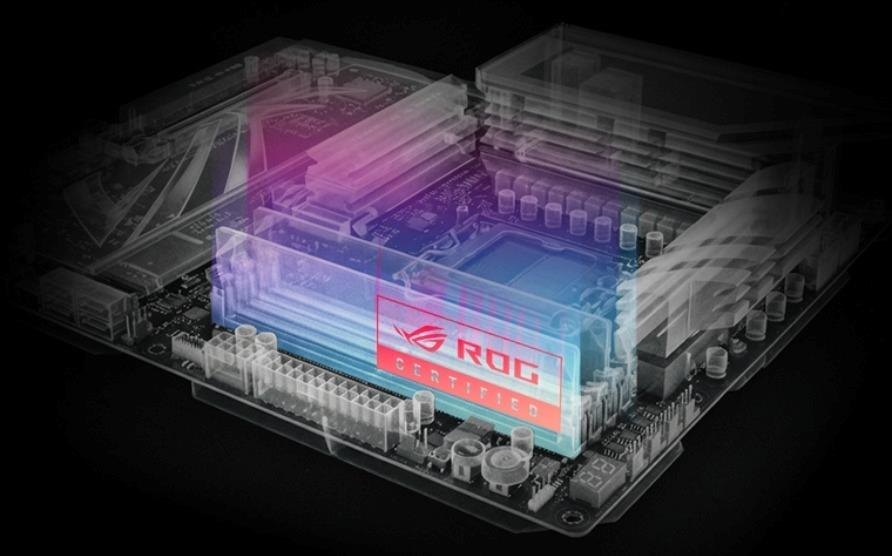
Raw performance and cooling. At the top tiers these brands trade blows, and the real differentiator is sustained performance: how the machine behaves after half an hour under load, not its opening burst. ROG has a long reputation for aggressive cooling on its higher models, and MSI pushes hard here too. Alienware's larger chassis give it thermal headroom on the desktop-replacement class. Legion tends to tune for a quieter, cooler-running balance rather than chasing the absolute peak. None of these is "slow"; the question is whether you want the loudest peak or a calmer sustained curve.
Battery and portability. If you carry the laptop around and want it to survive a day of non-gaming use, Legion has earned a good name for battery and sensible, low-key design that does not scream "gamer" in a meeting. ROG has portable options too, especially in its thinner lines, but the halo models prioritize performance over runtime. Alienware's most powerful machines are the least travel-friendly. Be honest about whether this is a desk machine or a genuine carry-everywhere laptop.
Software and setup. Every brand ships a control app: Armoury Crate on ROG, Command Center on Alienware, Vantage or Legion Space on Lenovo, MSI Center. Opinions vary, and all of them can feel heavier than necessary. If a clean, light software experience matters to you, read recent owner impressions of the exact model, since this changes version to version.
Support and warranty. Alienware, backed by Dell, is frequently praised for its support and premium after-sale experience, which is part of what you pay for. The others offer solid standard coverage; check the specific warranty terms and any accidental-damage options in your region before assuming they match.
Price and value. Legion and MSI are the two that most often deliver strong performance for the money, with MSI regularly landing just under a comparable ROG configuration. ROG sits mid to premium and asks you to pay for its breadth and top-tier cooling. Alienware is usually the premium end. Value is not the same as cheap, though: a slightly pricier machine with the battery, screen or support you actually need can be the better buy.
Who should buy which
- Buy ASUS ROG if you want the widest ecosystem, plan to mix a laptop with a desktop or DIY build, want strong cooling at the higher tiers, and like having ProArt and TUF siblings in the same family to step across. Browse the current ASUS ROG range and check live spec and pricing for your region.
- Buy Alienware if you want a polished prebuilt, distinctive design, and the reassurance of well-regarded support, and you are comfortable paying a premium for that package.
- Buy Lenovo Legion if you value battery life, a subtle look, and strong performance per dollar, and you carry the machine around as much as you game on it.
- Buy MSI if you want ROG-adjacent features and full-stack breadth (laptops, boards, GPUs, monitors) while often paying a little less, and you do not mind the more aggressive styling.
If your gaming is really half creation — streaming, editing clips, 3D — then the pure-gaming framing bends. In that case weigh a higher ROG tier against a dedicated creator line, since color accuracy and sustained multi-core work start to matter as much as frame rates.
FAQ
Is ASUS ROG better than Alienware?Neither is universally better. ROG wins on ecosystem breadth and DIY-friendliness; Alienware wins on prebuilt polish and support reputation. Pick by which of those you value.
Which of these has the best battery life?Lenovo Legion has the strongest general reputation for battery and everyday portability, but it still varies by model, so confirm the runtime rating on the exact configuration.
ROG or TUF if I want ASUS but a smaller budget?That is an in-family question. TUF targets durability and value, ROG targets performance and features. If you are budget-led, TUF; if you want the higher tiers and cooling, ROG. The companion buying guide covers this split in more detail.
Do I need to worry about the bundled software?It is worth a look but not a dealbreaker. All four ship a control app and all have their critics. Read recent impressions of your specific model rather than judging the whole brand.
Are the desktops worth it over laptops?If you never move the machine, a desktop usually gives you more performance and easier upgrades for the money, and ASUS and MSI let you buy the parts to build or expand one. Laptops win only if portability is a real requirement.
The honest summary: in 2026 you are choosing between four capable brands, not between good and bad. Decide your priority first — ecosystem and cooling (ROG), premium support (Alienware), battery and value (Legion), or features per dollar (MSI) — then compare the actual configuration you can buy today. When you are ready, check the current ASUS ROG lineup and compare live spec and pricing before deciding.
Disclosure: This post contains affiliate links. We may earn a commission from purchases made through these links at no extra cost to you. Prices and availability accurate at time of writing.
Disclosure: affiliate link — we may earn a commission at no extra cost to you.
Want gear like this on your content calendar?
Join AffluencerHub, get AI-matched to brand programs that fit your audience, and track every click to commission in one place.
Apply as a Creator